Tag: Home office setup

  • Best Cable Management Solutions for Home Offices in 2026-Buyer’s Guide

    Cable management is an important part of creating a clean , organised and productive home office. The right cable management solutions can reduce clutter,improve safety and make it easier to keep your workspace neat while protecting your cables and equipment.

    For a well-equipped workspace, you may also find our guide to Best Desk Lamps for Your Home Office helpful.

    Affiliate disclosure: This article contains Affiliate links. If you make a purchase through one of these links,I may earn a commission at no additional cost to you.

    What to look for in Cable Management Solutions

    Choosing the right cable management solution depends on your desk setup,the number of devices you use,and how organised you want your workspace to be.Good cable management should keep cables tidy,easy to access, and safely out of the way.

    .Capacity: Choose a solution that can hold all your cables without becoming overcrowded.

    .Ease of installation: look for products that are simple to fit and remove if needed

    .Durability: Strong materials will provide long-lasting support for your cables.

    .Flexibility: Select options that can adapt as you add or move devices.

    Types of Cable Management Solutions

    There are several ways to organise cables in a home office.The best solution depends on the size of your workspace, the number of devices you use,and the level of organisation you want.

    1Cable Sleeves

    Best for: Bundling multiple cables together.

    Key benefits:

    .Keeps cables neat

    .Reduces tangles

    .Easy to install

    Shinfly Cable Management Sleeve

    A practical cable sleeve designed to bundle several desk cables together, helping to keep your home-office workspace neat and organised

    Key features: 3-metre cable sleeve,cut-to-size design,reusable zip ties,and adhesive cable clips for organising desk cables.

    Why we recommend it:A simple and affordable way to bundle several cables together and reduce clutter around a home-office desk.

    Check Price on Amazon

    2Cable Clips

    Best for: Keeping individual cables in place.

    Key benefits:

    .Prevents cables from falling behind the desk

    .Is simple to attach

    .Helps keep frequently used cables accessible

    KGROTE 100PCS Self- Adhesive Cable Clips

    A pack of self- adhesive cable clips designed to hold individual wires in place around your desk helping to keep frequently used cables organised and within easy reach.

    Key features: 100 self-adhesive cable clips,simple peel-and -stick installation, and suitable for organising individual cables around a desk or workspace

    Why we recommend it: A practical choice for keeping charging cables and other frequently used wires in place instead of letting them fall behind the desk

    Check Price on Amazon

    3Cable Management Boxes

    Best for: Hiding power strips and excess cable.

    Key benefits:

    .Creates a cleaner appearance

    .Improves safety

    .Reduces visible cable clutter

    Brennenstuhl Cable Box for Power Strips

    A practical cable management box designed to conceal a power strip and excess cables,helping to create a tidier and more organised home-office workspace.

    Key features: Enclosed design for hiding a power strip and excess cables,cable openings for easy routing ,and a tidy appearance for home-office use.

    Why we recommend it: A practical choice for anyone who wants to conceal a power strip and loose cables while keeping the area around their desk more organised.

    Check Price on Amazon

    Cable Management Solutions Comparison

    The best cable management solution depends on your workspace, the number of cables you need to organise, and your personal preference.

    Cable Sleeves

    Best for : Bundling several cables together

    Key benefit: Keeps cables neat and protected

    Cable clips

    Best for : Organising individual cables

    Key benefit: Keeps cables easy to reach and prevents tangles

    Cable Management Boxes

    Best for: Hiding power strips and excess cables

    Key benefit: Creates a tidy ,professional-looking workspace

    To create a more organised workspace, you may also enjoy our guide to

    Best Home Office Desks for 2026-Buyer’s Guide

    If you use several devices at your desk,take a look at our guide to

    Best USB Hubs and Docking Stations for Home Offices in 2026-Buyer’s Guide

    Final Thoughts

    Good cable management can make your home office look cleaner ,improve safety, and make it easier to work efficiently. Whether you choose cable sleeves,cable clips,or cable management boxes,select solutions that fit your workspace and keep your equipment organised.

    You may also find our guide to Best Laptop Stands for Home Office useful when organising your computer workspace.
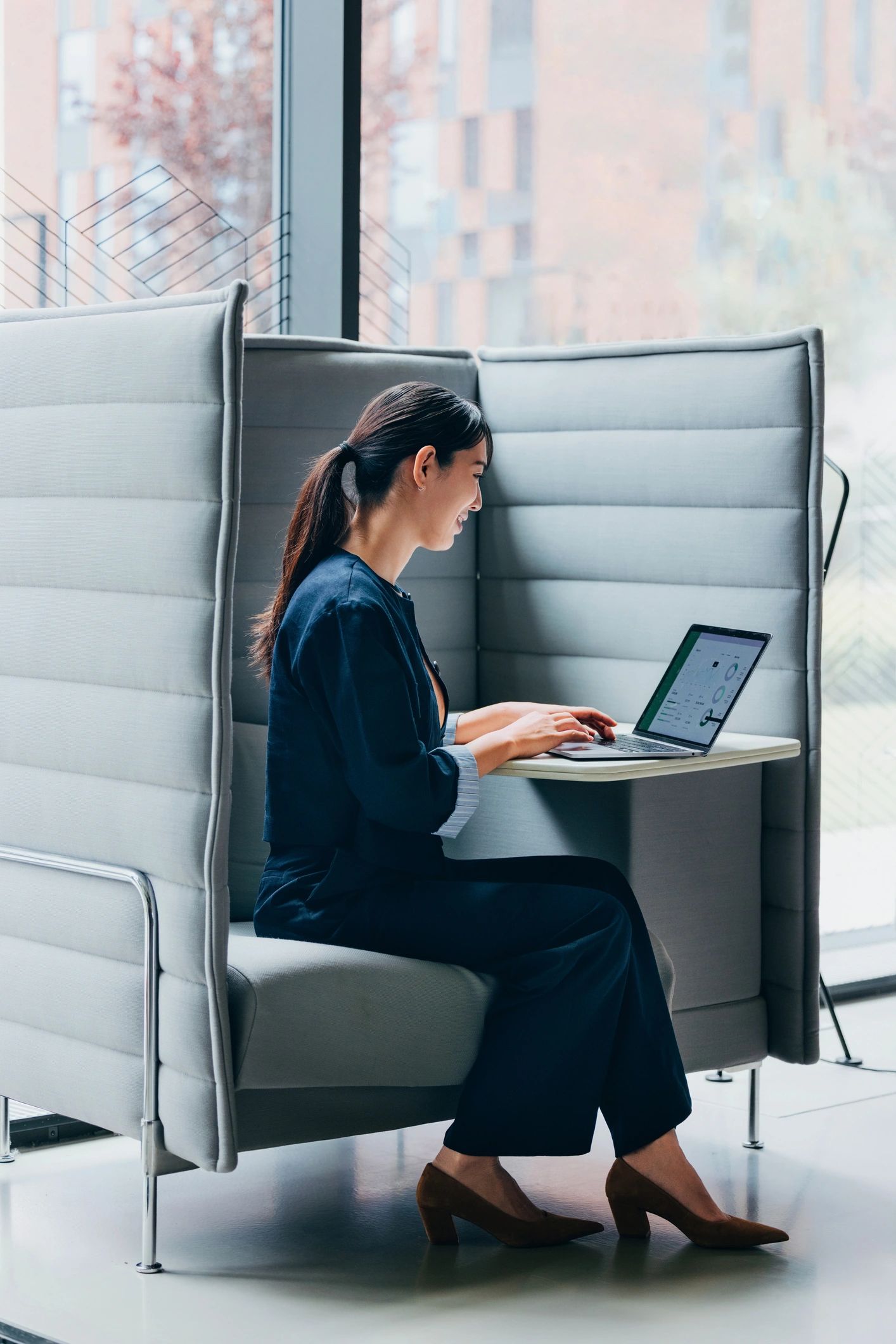
  • BEST MONITOR ARMS FOR HOME OFFICE IN 2026 BUYER’S GUIDE

    A monitor arm can improve your home office by creating more desk space,improving screen positioning and helping you maintain a more comfortable posture. The right monitor arm can make your workspace more organised and easier to adjust throughout the day.

    A monitor arm can work particularly well with a standing desk, giving you more flexibility when adjusting your screen position. See our guide to Best Standing Desks for Home Offices for more ideas.

    Affiliate disclosure: This article contains Affiliate links.If you make a purchase through one of these links,I may earn a commission at no additional cost to you.

    What to look for in a Monitor Arm

    Choosing the right monitor arm depends on your monitor size,desk setup, and the flexibility you need. A good monitor arm should provide stable support,smooth adjustment, and help create a more ergonomic workspace.

    .Weight capacity: Make sure the monitor arm supports the weight of your monitor.

    .Adjustment range: Look for height,tilt,swivel,and rotation Adjustments.

    .Mounting method : Check whether it uses a desk clamp or grommet mount and whether it fits your desk.

    .Cable management: Built-in cable routing helps keep your workspace tidy.

    Type of Monitors Arms

    Monitor arms are available in several designs to suit different workspaces and monitor setups.The best choice depends on the number of Monitors you use and how much flexibility you need.

    1Single Monitor Arm

    Best for: Home- office setups with one monitor

    Key benefits

    .Saves desk space

    .Is easy to adjust

    .Offers simple installation

    Bontec Single Monitor Arm

    An adjustable monitor arm designed for a single screen,helping to free up desk space and position your monitor at a comfortable viewing height.

    Key features: Adjustable monitor positioning, space-saving desk mount and flexible screen movement for a comfortable home-office setup.

    Why we recommend it: A practical choice for anyone using one monitor who wants to free up desk space and adjust the screen position more easily.

    Check Price on Amazon

    2Dual Monitor Arm

    Best for: Multitasking with two monitors.

    Key benefits :

    .Supports two screens

    .Improves productivity

    .Creates a cleaner workspace

    Bontec Dual Monitor Arm

    An adjustable monitor arm designed to support two screens,helping you create a more organised workspace while positioning both monitors for comfortable viewing.

    key features: Dual-screen support,adjustable monitor positioning and a space-saving desk mount for an organised home- office setup.

    Why we recommend it: A practical choice for home workers using two monitors who want more desk space and greater flexibility when positioning their screens.

    Check Price on Amazon

    3Gas Spring Monitor Arm

    Best for: Users who frequently adjust their monitor

    Key benefits:

    .Smooth movement

    .Easy height adjustment

    .Flexible positioning

    Grifema GB2003-1 Gas Spring Monitor Arm

    A gas-spring monitor arm designed to make adjusting your screen position easier while helping to free up space on your desk.

    Key features: Gas-spring adjustment, flexible screen positioning and a space – saving desk-mount design

    Why we recommend: A practical choice for users who regularly change their monitor position and want smooth,convenient adjustment throughout the working day.

    Check Price on Amazon

    Monitor Arm Comparison

    The best monitor arm depends on your workspace, the number of monitors you use,and how much adjustability you need.This comparison can help you choose the right option.

    Single Monitor Arm

    Best for:Standard home office setups

    Key benefit: Saves desk space and improves monitor positioning

    Dual Monitor Arm

    Best for : Two-monitor workstations

    Key benefit: Better multitasking and improved desk organisation

    Gas Spring Monitor Arm

    Best for: Frequently changing monitor positions

    Key benefit: Smooth adjustments and greater flexibility

    To create a more ergonomic workspace, you may also be interested in our guide to

    Best Office Monitors for Home Working in 2026-Buyer’s Guide

    If you use a laptop alongside your monitor, don’t miss our guide to

    Best Laptop Stands for Home Offices in 2026-Buyer’s Guide

    Final Thoughts

    A monitor arm is a simple upgrade that can improve comfort,free up desk space and create a more ergonomic home office.Whether you choose a single monitor arm,dual monitor arm,or gas spring model,focus on stability, adjustability, and compatibility with your monitor and desk.

    Keeping cables tidy is another important part of an organised workspace. You may also find our guide to Best Cable Management solutions for Home Offices helpful.

  • Best Office Headsets for Remote Work in 2026-Buyer’s Guide

    A reliable office headset can make remote work easier by improving call quality ,comfort, and communication. Whether you attend online meetings ,work with teams,or need a quieter workspace, the right headset can help create a more professional home office experience.

    For better video calls while working from home,you may also find our guide to Best Webcams for Remote Working helpful.

    Affiliate disclosure: This article contains Affiliate links.If you make a purchase through one of these links,I may earn a commission at no additional cost to you.

    What to look for in an OfficecHeadset

    Choosing the right office headset depends on your work style, comfort needs,and how often you join calls. A good headset should provide clear sound ,reliable communication, and comfort for long working sessions.

    .Sound quality: Clear audio helps you hear conversations and meetings more easily

    .Microphone quality: Good microphone improves how others hear you during calls

    .Comfort: Lightweight designs and comfortable ear cushions are important for long use.

    .Connection options: Consider wired,wireless,or Bluetooth options based on your workspace

    Types of Office Headsets

    Office headsets come in different styles depending on your work environment and communication needs. The best option depends on comfort,sound quality and how you use your headset each day.

    1Wired Office Headset

    Best for: Reliable daily office use

    Key benefits:

    .Stable connection

    .No battery charging required

    .Often more affordable

    Logitech H390 Wired Headset

    A practical USB-A headset designed for computer calls and online meetings, with a noise-cancelling microphone and convenient in -line controls.

    Key features: USB-A connection,noise-cancelling microphone,in-line volume and mute controls,and padded ear cushions.

    Why we recommend it: A reliable choice for home workers who want a simple wired headset for video meetings and everyday calls without worrying about battery charging.

    Check Price on Amazon

    2Wireless Office Headset

    Best for: Flexible home -office setups

    Key benefits:

    .Freedom of movement

    .Less cable clutter

    .Convenient for busy workdays

    JLab Go Work Gen 2 Wireless Headset

    A wireless office headset designed for calls and meetings,offering flexible connectivity and a noise-cancelling boom microphone for clearer conversation.

    Key features: Bluetooth connectivity, USB-C dongle,noise-cancelling boom microphone,multipoint connection, and long battery life.

    Why we recommend it: A practical choice for Remote workers who want the freedom of a wireless headset while staying connected during calls and online meetings.

    Check Price on Amazon

    3Noise- Cancelling Office Headset

    Best for: Busy environments and frequent calls.

    Key benefits:

    .Reduces background noise

    .Improves focus and is better suited to professional meetings

    Jabra Evolve 2 55 Stereo Wireless Headset

    A professional wireless headset designed for calls and online meetings,with Active Noise Cancellation to help reduce distracting background noise.

    Key features: Active Noise Cancellation, wireless connectivity, noise-cancelling microphone technology,and a comfortable stereo design for calls and meetings.

    Why we recommend it: A strong choice for remote workers who frequently make calls and want to reduce distractions in a busy working environment.

    Check Price on Amazon

    Office Headset Comparison

    The best office headset depends on your working environment, how often you join calls,and the features you need.This comparison can help you choose the right option

    Wired Office Headset

    Best for : Reliable everyday work

    Key benefit: Stable connection and no charging required

    Wireless Office Headset

    Best for: Flexible home -office setups

    Key benefit: Freedom of movement and reduced cable clutter

    Noise- cancelling Office Headset

    Best for : Frequent meetings and busy environments

    Key benefit: Reduced background noise and improved focus.

    To improve your workstation, you may also be interested in our guide to

    Best Office Monitors for Home Working in 2026-Buyer’s Guide

    If you spend long hours at your desk,don’t miss our guide to

    Best Ergonomic Footrests for Home Office in 2026-Buyer’s Guide

    Final Thoughts

    The best office headset should provide comfort, clear communication ,and reliable performance. Whether you choose a wired,wireless,or noise -cancelling headset,focus on the features that match your work style and help you stay productive during remote work.

    You may also find our guide to Best Desk Lamps for Your Home Office helpful, when creating a comfortable workspace.

  • Best Webcams for Remote Work in 2026-Buyer’s Guide

    A good webcam is an important part of a modern home office setup, especially for video meetings,online presentations and remote communication. The right webcam can improve image quality, reliability and the overall professional appearance of your workspace.

    If you are also improving your home office setup, take a look at our guide to the best laptop stands for home office in 2026.

    This guide compares webcams from Logitech and Razer, looking at their features and suitability for video calls,online meetings and everyday home office use.

    Affiliate disclosure: This article contains affiliate links. If you make a purchase through one of these links, We may earn a commission at no additional cost to you.

    What to look for in a Webcam

    Choosing the right webcam depends on your work needs , video quality requirements, and home office setup. Good webcam should provide clear video, reliable performance and features that make online meetings easier

    .Video quality: Look for clear image quality so you appear professional during calls.

    .Microphone quality: A built- in microphone can improve communication without extra equipment.

    .Low- light performance: Good webcams should work well in different lighting conditions.

    .ease of setup: A webcam should be simple to connect and use with your computer.

    Types of Webcams

    Webcam come in different styles to suit different needs.The best choice depends on your work requirements, budget, and how often you use video calls.

    1Standard Webcam

    Best for: Everyday video meetings and online communications

    Key benefits:

    .Affordable and easy to use

    .Simple plug- and – play setup

    .Suitable for general remote work

    Logitech C920 HD Pro Webcam

    A full HD Webcam designed for video calls and remote meetings,offering clear 1080p video,auto focus,and built-in microphones.

    Key features: Full HD 1080p video,auto focus,automatic light correction,built- in stereo microphone, and USB connectivity.

    Why we recommend it: A reliable choice for remote workers who want clear video and simple setup for every day meetings and video calls.

    Check Price on Amazon

    2Full HD Webcam

    Best for: Professional- looking video calls.

    Key benefits:

    .Clear image quality

    .Better detail during meetings

    .Good balance of price and performance

    Logitech Brio 500 Full HD Webcam

    A full HD Webcam designed for professional-looking video calls and remote meetings,with automatic light correction and clear video quality.

    Key features: Full HD 1080p video automatic light correction,auto focus,built-in microphones,and USB-C connectivity.

    Why we recommend it: A strong choice for remote workers who want clear,professional-looking video for regular online meetings and calls.

    Check Price on Amazon

    3Premium Webcam

    Best for: Frequent meetings and content creation

    Key benefits: .Advanced image quality

    .Better low- light performance

    .Extra features and controls

    Razer Kiyo V2 4K Webcam

    A 4K Webcam designed for high-quality video calls,frequent online meetings,and content creation,with sharp video and advanced camera features.

    Key features: 4K video,auto focus,HDR support,auto-framing,and full HD 1080p video at up to 60 fps.

    Why we recommend it: A strong choice for remote workers and content creators , who want sharper video quality and more advanced features than a standard webcam.

    Check Price on Amazon

    Webcam Comparison

    The best webcam depends on how often you use video calls,your workspace setup and the level of image quality you need

    Standard Webcam

    Best for: Everyday remote work

    Key benefit : Affordable and simple to use

    Full HD Webcam

    Best for: Professional video meetings

    Key benefit : Clearer image quality and better detail

    Premium Webcam

    Best for : Frequent meetings and advanced users

    Key benefit: Improved video quality and additional features

    To improve your video call experience, you may also find our guide to

    Best Office Headsets for Remote Work in 2026-Buyer’s Guide helpful

    For better lighting during meetings, take a look at our guide to

    Best Desk Lamps for Home Offices in 2026-Buyer’s Guide

    Final Thoughts

    The right webcam can make remote work easier and more professional. Whether you choose a standard webcam,a Full HD model or a premium option, focus on image quality, reliability, and features that match your daily video communication needs.

    You may also find our guide to Best Office Monitors for Home Working helpful when creating a productive video- working space.

  • Best Standing Desks for Home Offices in 2026- Buyer’ s Guide

    Standing desks have become a popular choice for modern home offices because they allow users to change working positions throughout the day. The right standing desk can improve comfort, flexibility, and the overall workspace experience.

    A comfortable standing desk works best when paired with a supportive chair for sitting breaks. You may also find our guide to Best Office Chairs for Home Working helpful.

    Affiliate disclosure:This article contains Affiliate links.If you make a purchase through one of these links,I may earn a commission at no additional cost to you.

    What to Look for in a Standing Desk

    Choosing the right standing desk depends on your workspace,daily routine, and comfort needs. A good standing desk should be stable , easy to adjust and provide enough space for your equipment.

    .Height adjustment: look for a desk that can be adjusted to suit your sitting and standing positions.

    .Stability: A strong frame helps keep your monitor and equipment secure.

    .Desk size: Choose a surface area that fits your computer, accessories and workspace.

    .Ease of use: Smooth adjustments make it easier to change positions during the day.

    Types of Standing Desks

    Standing Desks come in different styles to suit different workspaces and budgets.The best option depends on how often you want to adjust your desk and the type of work you do.

    1Electric Standing Desk

    Best for: People who want easy height adjustment

    Key benefits:

    .Adjusts with the push of a button

    .Smooth position changes

    .Good for daily use

    Flexispot E1 Electric Standing Desk

    A height- adjustable electric standing desk designed to make switching between sitting and standing easy during the working day.

    Key features: Electric height adjustment, sit-standing functionality and a practical design for everyday home-office use.

    Why we recommend it: A practical choice for home workers who want to switch easily between sitting and standing throughout the working day.

    Check Price on Amazon

    2Manual Standing Desk

    Best for : budget- conscious users.

    Key benefits:

    .More affordable option

    .Simple design

    .No electrical components needed

    Saferest Height adjustable Standing Desk

    A manually adjustable standing desk that uses a crank handle to change the height without needing an electric motor.

    Key features: Manual crank height adjustment, no electric motor required, and a simple sit-stand design for home-office use.

    Why we recommend it: A useful option for budget- conscious home workers who want the flexibility of a standing desk without paying for an electric model.

    Check Price on Amazon

    3Standing Desk Converter

    Best for : People who already have a desk

    Key benefits:

    .Converts an existing workspace

    .Takes up less space

    .Flexible and easy to use

    Vivo K Series Height adjustable Desk Converter

    A height-adjustable desk converter designed to sit on top of an existing desk,allowing you to switch between sitting and standing without replacing your current workspace.

    Key features: Height-adjustable platform, space for a monitor or laptop,and a keyboard tray for a practical sit-stand setup.

    Why we recommend it: A convenient option for home workers who want to add standing functionality to their existing desk without buying a completely new desk.

    Check Price on Amazon

    Standing Desk Comparison

    The best standing desk depends on your budget,workspace and how you prefer to work .This comparison can help you understand the main options.

    Electric Standing Desk

    Best for: Regular sitting and standing changes

    Key benefit: Easy height adjustment and convenience

    Manual Standing Desk

    Best for: Affordable home office setups

    Key benefit: Simple ,reliable,and budget- friendly

    Standing Desk Converter

    Best for: Existing desk users

    key benefit: Adds standing capability without replacing your desk

    For better comfort while standing and sitting throughout the day ,you may also be interested in our guide to

    Best Ergonomic Footrests for Home Office in 2026-Buyer’s Guide

    To complete your ergonomic workspace, read our guide to

    Best Monitor Arms for Home Offices in 2026-Buyer’s Guide

    Final Thoughts

    The best standing desk depends on your workspace,comfort needs and working habits.Whether you choose an electric desk ,manual desk or desk converter , focus on stability,adjustability, and quality to create a more flexible home office.

    For a complete home office setup, you may also find our guide to Best Office Monitors for Home Working helpful.

  • Best Keyboards and Mice for Home Working in 2026-Buyer’s Guide

    Choosing the right keyboard and mouse can make a big difference to comfort, speed and productivity when working from home.The right accessories can help create a smoother and more enjoyable workspace, whether you are working, studying or managing daily tasks.

    A comfortable workspace needs more than a good keyboard and mouse.Choosing a supportive chair is equally important, so take a look at our guide to Best Office Chairs for Home Working.

    Affiliate disclosure: This article contains Affiliate links.If you make a purchase through one of these links,I may earn a commission at no additional cost to you.

    What to look for in a keyboard and mouse

    The right keyboard and mouse should provide comfort, reliability,and features that suit your working style. Before choosing a set ,consider how you work,how much time you spend at your computer and the features that will improve your daily tasks.

    .Comfort and ergonomics: Choose designs that reduce strain during long working sessions.

    .Connection type: Consider wired,wireless,or Bluetooth options depending on your setup.

    .Battery life: Wireless devices should provide reliable battery performance.

    .Build quality: A well – made keyboard and mouse can last longer and provide a better experience.

    Types of keyboards and mice

    Keyboards and mouse come in different styles to suit different working preferences. The best choice depends on your comfort needs,workspace and the type of tasks you complete

    1Ergonomic Keyboard and Mouse

    Best for: Long working hours and comfort

    Key benefits:

    .Designed to reduce strain

    .Supports a more natural hand position

    .Good for regular computer use

    Logitech Wave Keys and Lift Mouse Combo

    An ergonomic keyboard and mouse combination designed to support a more natural hand and wrist position during long periods of computer work.

    key features: Ergonomic wave-shaped keyboard, cushioned palm rest,vertical ergonomic mouse design, and wireless connectivity.

    Why we recommend it: A comfortable choice for home – office users who spend long hours at a computer and want a keyboard and mouse designed to support a more natural working position.

    Check Price on Amazon

    2Wireless Keyboard and mouse

    Best for : Clean and flexible workspaces

    key benefits

    .Reduce cable clutter

    .Provide greater freedom of movement

    .Suit modern home offices

    Logitech MK270 Wireless Keyboard and Mouse Combo

    A practical wireless keyboard and mouse set designed for everyday home-office work,helping keep your desk free from unnecessary cables.

    key features:Full-size wireless keyboard, wireless mouse,compact USB receiver, and simple plug-and-play setup.

    Why we recommend it: A practical and affordable choice for home-office users who want simple wireless keyboard and mouse setup with less cable clutter.

    Check Price on Amazon

    3Mechanical Keyboard and Precision Mouse

    Best for: Users who want a more responsive setup

    Key benefits

    .Tactile typing experience

    .Accurate Mouse control

    .Greater precision for advanced users.

    Trust GXT 838 Azor Keyboard and mouse set

    A responsive keyboard and mouse set designed for users who want comfortable typing and accurate mouse control for everyday computer use.

    Key features: Responsive keyboard, accurate mouse control,wired connection, and a practical full-size setup.

    Why we recommend it: A practical choice for users who want a responsive keyboard and precise mouse for regular computer work at an affordable price.

    Check Price on Amazon

    Keyboard and Mouse Comparison

    The best keyboard and mouse setup depends on your comfort,workspace and daily tasks.This comparison can help you choose the right option for your needs.

    Ergonomic keyboard and Mouse

    Best for: long working hours

    key benefit : Improved comfort and reduced strain.

    Wireless Keyboard and Mouse

    Best for : Flexible and tidy workspaces

    key benefit: Less cable clutter and easy setup

    Mechanical Keyboard and Precision Mouse

    Best for : Users who want speed and accuracy

    Key benefit: Responsive performance and better control

    For a more comfortable workspace,you may also be interested in our guide to

    Best Laptop Stands for Home Office in 2026-Buyer’s Guide

    If you’re setting up a complete workstation, take a look at our guide to

    Best USB Hubs and DockingvStations for Home Offices in 2026-Buyer’s Guide

    Final Thoughts

    The best keyboard and mouse setup depends on your comfort working style,and personal preferences.Whether you choose an ergonomic design, a wireless setup,or a performance- focused option, the right accessories can make your home office more comfortable and productive.

    Keeping your deskbarea tidy makes it easier to work comfortably. Our guide to Best Cable Management Solutions for Home Offices offers helpful ideas for organising cables and reducing clutter.

  • Best Office Monitors for Home Working in 2026-Buyer’s Guide

    Choosing the right office monitor can improve your productivity, comfort and overall working experience. Whether you work from home,study or need a better screen setup,the right monitor should offer clear images good size and features that suit your daily tasks.

    For a complete workspace, you may also find our guide to the Best Office Chairs for Home Working helpful.

    Affiliate disclosure: This article contains Affiliate links.If you make a purchase through one of these links,I may earn commission at no additional cost to you.

    What to look for in an Office Monitor

    Choosing the right office monitor depends on your work requirements, available space and budget.A good monitor should provide clear images,comfortable viewing and features that support your daily tasks.

    .Screen size: Choose a size that gives you enough workspace without overwhelming your desk.

    .Resolution: Higher resolution provides shaper images and clearer text

    .Comfort features: look for adjustable stands,reduced eye strain features and comfortable viewing angles

    .Connectivity: Make sure the monitor has the ports you need for your computer and accessories.

    Types of Office Monitors

    Office monitors come in different styles depending on how you work.The best choice depends on whether you need a simple everyday display , a larger workspace, or a more advanced setup

    1Standard Office Monitor

    Best for : Everyday work,browsing and general tasks

    key benefits;

    .Affordable and practical

    .Good for emails,documents,and online work

    .Available in many sizes

    Samsung 24 -inch S33GC Series Monitor

    A 24 -inch Full HD monitor suitable for everyday home-office tasks such as emails,documents, web browsing, and general work.

    Key features: 24 -inch Full HD display,clear picture quality, and a practical screen size for everyday home-office work.

    Why we recommend it: A practical choice for home

    workers who want a straight forward monitor for everyday tasks without taking up too much desk space.

    Check Price on Amazon

    2Large Screen Monitor

    Best for : Multitasking and productivity

    Key benefits:

    .More space for multiple windows

    .Easier viewing of detailed work

    .Good for larger desks

    Xiaomi A27i 27-inch Monitor

    A 27-inch monitor that provides a larger viewing area for multitasking ,documents, spreadsheet, and everyday home-office work.

    Key features:27-inch display, spacious viewing area,and a practical screen size for multitasking and everyday office work.

    Why we recommend it: A good choice for home workers who want more screen space for viewing multiple windows and working comfortably on documents or spreadsheets.

    Check Price on Amazon

    3High-Resolution Monitor

    Best for: Creative work and detailed tasks

    Key benefits:

    .Sharper images and text

    .Better visual quality

    .Useful for design and media work

    Xiaomi A27Ui 27 -inch 4K Monitor

    A 27-inch 4K monitor designed to provide sharp images and detailed visuals,making it suitable for creative work,documents,and other tasks where image clarity is important.

    Key features: 27-inch 4K display ,high -resolution picture quality, and a spacious screen for detailed work.

    Why we recommend it: A strong choice for home workers who need sharper text and detailed visuals for creative work,documents, and media tasks.

    Check Price on Amazon

    Office Monitor Comparison

    The best office monitor depends on your daily tasks,workspace, and budget. This comparison can help you understand the main options available

    Standard Office Monitor

    Best for: Everyday office work

    Key benefits: Affordable, practical, and suitable for general tasks.

    large Screen Monitor

    Best for : Multitasking and productivity

    Key benefits: More workspace for documents and multiple applications

    High – Resolution Monitor

    Best for: Creative work and detailed tasks

    Key benefit: Sharper images and improved visual quality.

    To improve your monitor positioning and free up desk space,see our guide to

    Best Monitor Arms for Home Offices in 2026-Buyer’s Guide

    If you’re creating a comfortable workspace, you may also find our guide to

    Best Desk Lamps for Home Offices in 2026-Buyer’s Guide

    Final Thoughts

    The best office monitor depends on your working style,available space, and the tasks you need to complete .Whether you choose a standard monitor ,a large screen,or a high- resolution display, focus on comfort,image quality ,and features that improve your daily workflow.

    You may also find our guide to the Best Office Desks for Home Working useful when planning your workspace.

  • Best Home Office Desks for 2026 Buyer’s Guide

    Choosing the right home office desk can improve your comfort,organisation, and productivity. Whether you work from home,study,or need a dedicated workspace, the right desk should provide enough space, durability,and functionality for your needs.

    If you want to improve your lighting while setting up your workspace, take a look at our guide to the best desk lamps for your home office.

    Affiliate disclosure: This article contains Affiliate links.If you make a purchase through one of these links,I may earn a commission at no additional cost to you.

    What to look for in a Home Office Desk

    A good home office desk should provide enough workspace,comfort, and durability for your daily tasks.Before choosing a desk,consider the size of your room,the type of work you do,and the features that will help you stay organised.

    .Size and workspace: Choose a desk with enough room for your computer,accessories and paperwork.

    .Build quality: A strong and stable desk will last longer and provide a better working experience

    .Storage options: Drawers and shelves can help keep your workspace organised.

    .Comfort and height: The desk should work well with your chair and support good posture.

    Types of Office Desks

    Home Office Desks come in different styles to suit different workspaces and needs.Choosing the right type depends on your available space,working habits and budget

    1Standing Desk

    Best for : People who want to alternate between sitting and standing

    Key benefits

    .Helps create a flexible workspace

    .Offers adjustable height options

    .Supports a more active work routine

    Klicelor Electric Standing Desk 120×60cm

    An electric height – adjustable desk designed to make it easy to switch between sitting and standing while working from home.

    Key features: Electric height adjustment, two memory buttons for sitting and standing positions, and a 120×60 cm desktop

    Why we recommend it: A practical choice for home workers who want to switch easily between sitting and standing throughout the working day.

    Check Price on Amazon

    2Traditional Computer Desk

    Best for: Every day home -office use

    Key benefits

    .Practical and affordable

    .Suitable for computers and accessories

    .Available in many sizes

    3Executive Desk

    Best for:Larger offices and professional setups.

    Key benefits:

    .More workspace

    .Premium appearance

    .Extra storage options

    Home Office Desk Comparison

    The best desk depends on your workspace, how you work and the features you need .This simple comparison can help you decide which type of desk suits you best

    Standing Desk

    Best for: Flexible working and changing position during the day.

    Key benefit:Adjustable height and active workspace options

    Traditional Computer Desk

    Best for : Everyday home office tasks.

    Key benefits: Practical, affordable and available in many sizes.

    VASAGLE Computer Desk with Shelves and Drawers

    A practical fixed-height computer desk with built-in shelves and drawers,providing workspace and convenient storage for home-office equipment and accessories.

    Key features: 140×60 cm desktop,built-in shelves and drawers,and useful storage space for home-office accessories.

    Why we recommend it: A practical choice for home workers who want a traditional computer desk with plenty of workspace and built-in storage.

    Check Price on Amazon

    Executive Desk

    Best for: Larger workspaces and professional setups.

    Key benefits: More surface space,useful storage and a premium look.

    KUBA Large Desk

    A spacious desk with a clean,professional appearance, providing plenty of surface space for a computer,monitor, and other home-office essentials.

    Key features: 130×51 cm desktop,spacious work surface, and a clean design suitable for a professional home-office setup.

    Why we recommend it: A good choice for home workers who want a larger desk with plenty of room for their computer,monitor,and everyday office equipment.

    Check Price on Amazon

    If you want a healthier way to work,you may also be interested in our guide to

    Best Standing Desks for Home Office in 2026 Buyer’s Guide

    To complete your workspace,take a look at our guide to

    Best Desk Lamps for Home Office in 2026-Buyer’s Guide

    Final Thoughts

    The best home office desk depends on your available space,working style, and personal needs.Whether you choose a standing desk,traditional computer desk ,or executive desk,focus on comfort, durability ,and functionality.

    You may also find our guide to the Best Office Chairs for Home Working helpful when choosing comfortable furniture for workspace.

  • Best Office Chairs for Home Working in 2026 -Buyer’s Guide

    Choosing the right office chair can make a big difference to comfort, posture, and productivity. With many options available, finding the best chair for your home office can be challenging. In this guide, we explore the key features to look for when choosing an office chair,including comfort,adjustability, lumbar support and durability. Whether you work from home full-time or occasionally, the right chair can help create a comfortable and productive workspace.

    Affiliate disclosure: This article contains Affiliate links. If you make a purchase through one of these links, I may earn a commission at no additional cost to you.

    Quick Summary

    .Best for long hours: Ergonomic office chairs

    .Best premium choice: Executive chairs

    .Best bughet options: Affordable office chairs

    .Important features: Comfort, adjustability and support

    What to Look for in an Office Chair

    A good office chair should provide comfort,support,and adjustability. Before buying,consider features such as lumbar support, seat comfort,adjustable height,armrests,build quality,and the amount of time you will spend sitting each day.

    If you prefer to alternate between sitting and standing during the day ,our guide to

    Best Standing Desks for Home Office in 2026

    can help you choose the right option

    Top Office Chairs to Consider

    Key Features to Look For

    When choosing an office chair,focus on comfort,ergonomic support,adjustability, durability, and value for money.A chair that supports good posture can help improve comfort during long working hours.

    Choosing the right office chair depends on your budget, comfort needs,and how many hours you spend working .Here are some popular types of office chairs to consider

    1 Ergonomic Office Chair

    Best for: Long working hours and posture support

    Key features to look for:

    .Adjustable lumbar support

    .Adjustable armrests

    .Comfortable cushioning

    .Strong build quality

    2 Executive Office Chair

    Best for: A larger workspace and a premium feel

    Key features to look for :

    .High back support

    .Quality materials

    .Extra comfort features

    3 Budget Office Chair

    Best for: Smaller home offices or occasional use

    Key features to look for:

    .Good basic support

    .Adjustable height

    .Comfortable seat

    Office Chair Comparison

    Choosing the right office chair depends on your working habits, comfort needs, and budget.Here is a simple comparison to help you understand the main options.

    Ergonomic Chair

    Best for: Long working hours

    key benefit: Better posture support and adjustability

    Sihoo Doro C300 Ergonomic Office Chair

    A supportive ergonomic chair designed for comfortable home working ,with adjustable features to help you find a suitable sitting position.

    Key features: Adjustable headrest and lumber support,adjustable armrests,and a breathable design.

    Why we recommend it: A good option for Home workers who spend long periods at a desk and want an ergonomic chair with useful adjustment features.

    Check Price on Amazon

    Executive Chair

    Best for: Premium home offices

    Key benefit: Comfort, style,and a professional look

    Alpha Home Executive Office Chair

    A high-back executive chair designed to provide comfort and a professional look for a premium home office.

    Key Features: High-back design, comfortable cushioning, adjustable features and a professional executive style.

    Why we recommend it: A suitable choice for Home workers who want a comfortable executive-style chair with a professional appearance.

    Check the Price on Amazon

    Budget Chair

    Best for : Smaller workspaces or occasional use

    Key benefit: Affordable and practical

    Songmics Ergonomic Office Chair

    A practical office chair designed for everyday home-office use, offering a simple and affordable option for smaller workspaces.

    Key features: Comfortable padded seat,supportive backrest and a compact design suitable for home Office.

    Why we recommend it: A practical choice for home workers looking for an affordable office chair without taking up too much space.

    Check Price on Amazon

    If you’re looking to improve your comfort while working,you may also be interested in our guide to Best Ergonomic Footrests for Home Office in 2026

    Top Office Chair Recommendations

    Ergonomic Office Chair

    Best for: long working hours

    Pros:

    .Excellent back support

    .Adjustable armrests and seat height

    .Comfortable for extended use

    Cons:

    .Usually more expensive than basic office chairs

    Mesh Office Chair

    Best for : Warm rooms and everyday use

    Pros:

    .Breathable backrest

    .Lightweight design

    .Good airflow

    Cons:

    .Less cushioning than padded chairs

    Executive Office Chair

    Best for: Premium comfort

    Pros:

    .Thick padding

    .High back support

    .Professional appearance

    Cons:

    .Takes up more space

    .Can be more expensive

    .

    Final Thoughts

    The best office chair depends on your personal needs ,budget,and workspace.Take time to compare features before making a decision.

    You may also find our guide to the Best Office Monitors for Home Working helpful when completing your home office setup.

    Choosing the right office chair can improve comfort, support,productivity while working from home. The best choice depends on your budget,workspace,and personal preferences. Take time to compare features and choose a chair that fits your daily needs.

  • Best Home Office Desks for Small Spaces in 2026

    Best Home Office Desks for Small Spaces in 2026

    Reimagining Small-Space Workstations for 2026

    Urban living spaces continue to shrink, with more professionals embracing micro-apartments and multifunctional rooms—especially in high-density areas like London, Manchester, and Birmingham. By 2026, the demand for compact home office desks that blend ergonomic design with space-saving innovation has never been higher. Without the right setup, cramped workspaces can lead to discomfort, reduced productivity, and long-term posture issues.

    The solution? Smart, purpose-built desks engineered for small environments without sacrificing comfort or functionality. The best models prioritize adjustability, clean cable management, wall-mounted options, and convertible designs that transform from workstations to consoles in seconds. Whether you’re working from a studio flat in West Sussex or converting a hallway nook in Central London, the right desk can make all the difference.

    In this guide, you’ll discover top-performing desk styles tailored to tight footprints, learn key features that enhance ergonomics in limited areas, and get actionable tips for maximizing your small home office layout—all to help you build a healthier, more efficient remote work environment.

    Affiliate disclosure: This article contains affiliate links.If you make a purchase through one of these links,I may earn a commission at no additional cost to you

    Space-Saving Desks That Redefine Small Home Offices in 2026

    When square footage is limited but productivity demands are high, choosing the right desk can make or break your work-from-home experience. These top five home office desks are engineered for compact living spaces—perfect for urban apartments in cities like Crawley, shared rooms, or converted nooks—without sacrificing style or functionality.

    1. Wall-Mounted Folding Desks
      Ideal for micro-spaces, these desks mount securely to the wall and fold flat when not in use. With depths typically under 20 inches and load capacities up to 50 lbs, they offer a sturdy surface for laptops and monitors. Their hidden hinges and minimalist frames create a clutter-free aesthetic, making them a favorite for modern UK flats.

      Recommended product: HOMCOM Wall Mounted Computer Desk,Fold Out
      A practical space-saving desk that folds away when not in use,making it suitable for compact home offices,bedroom,and small work areas
    2. Key features: Wall-mounted design,fold-out work surfaces, built-in storage, and a space-saving design for smaller rooms
    3. Why we recommend it: A useful choice for small spaces where a permanent full-size desk would take up too much room.
    4. Check Price on Amazon
    5. Corner L-Shaped Desks (Compact Design)
      Maximize unused corner space with a scaled-down L-shaped model. These desks usually range from 40” to 48” per side, fitting snugly into tight corners while providing dual work zones. Many include built-in cable management and modest modesty panels, enhancing both ergonomics and organization.

      Recommended product:VASAGLE L-Shaped Corner Desk with Reversible Height-Adjustable Shelves
      A compact L-shaped desk designed to make good use of corner space while providing useful shelving for home-office equipment and accessories.
    6. Key features: L-shaped design,reversible layout,height adjustable shelves, and a compact design for making efficient use of corner space
    7. Why we recommend it: A practical choice for small home offices where corner space can provide extra working and storage room without taking over the room.
    8. Check Price on Amazon
    9. Adjustable Height Mini Sit-Stand Desks
      Standing desks aren’t just for large rooms. Slim-profile models with electric lift mechanisms now come in footprints as small as 30” x 20”. They support healthy posture changes throughout the day and suit紧凑 layouts in home offices under 80 sq ft.

      Recommend product: Flexispot Electric Standing Desk ,110×54 cm
      A compact height-adjustable desk that allows you to switch between sitting and standing while providing enough workspace for a laptop,monitor,and everyday office essentials.
    10. Key features: Electric height adjustment, compact 110×54 cm desktop,sit-stand flexibility, and a space-saving design for smaller home offices.
    11. Why we recommend it: A practical choice for small-space home workers who want the flexibility to alternate between sitting and standing without needing a large desk
    12. Check Price on Amazon
    13. Narrow Console Desks with Storage
      Blending form and function, these slim desks (often under 18” deep) double as storage units with drawers or open cubbies. Their furniture-grade finishes make them suitable for living rooms or bedrooms, especially in multi-use spaces common across West Sussex homes.

      Recommended product: HOMCOM Computer Desk with Drawers and Storage Shelves
      A slim home-office desk with built-in drawers and shelving ,providing useful workspace and storage while keeping the overall footprint relatively compact.
    14. Key features: Slim 120×49 cm desktop,built-in drawers,storage shelves,and a practical design for smaller home-office spaces.
    15. Why we recommend it: A useful choice for small home offices where you need both a work surface and extra storage without using too much floor space
    16. Check Price on Amazon
    17. Convertible Table Desks with Drop Leaves
      Perfect for renters, these extendable tables save space when closed but offer a full 48” surface when open. Crafted with lightweight yet durable materials, they’re easy to reposition and ideal for dynamic setups where flexibility is ke

      y
    18. Recommended product: HOMCOM Folding Desk with Storage Shelf and Bag
    19. A compact folding desk on wheels that can be moved and stored more easily when space is limited, with additional storage for everyday home-office essentials.
    20. Key features: Folding design, compact 63 cm work surface, wheels for easier movement, and built- in storage for small office essentials.
    21. Why we recommend it: A practical option for small or multi-use rooms where you need a workspace that can be moved or folded away when it is not being used.

    Why Your Desk Choice Transforms Small Space Workflows

    Selecting the right desk for a compact home office isn’t just about saving floor space—it’s a critical decision that directly impacts focus, ergonomics, and long-term comfort. In tight environments like urban flats in Crawley or shared living areas across West Sussex, every square foot must serve a purpose. A poorly sized or poorly designed desk can lead to slouched posture, reduced efficiency, and mental fatigue, undermining your daily productivity.

    The ideal workspace setup supports a seamless transition between work modes: writing, typing, video calls, and focused thinking. Compact desks with thoughtful features—such as adjustable heights, built-in cable management, and modular add-ons—maximize functionality without clutter. Corner desks, wall-mounted lift tables, and slim-profile designs are increasingly popular for small UK homes where multi-functionality is key.

    Ergonomic alignment prevents strain: ensure your desk allows your arms to rest at 90 degrees, your monitor sits at eye level, and your chair supports natural spine curvature. Consider foot traffic flow and proximity to outlets when positioning your desk.

    Pro tips for optimizing small workspaces:

    • Choose a desk with vertical storage or integrated shelving
    • Opt for light colours to enhance brightness and perceived space
    • Prioritize quality materials that withstand daily wear in high-use areas

    Maximize Your Space with Smart Desk Selection

    When optimizing a compact home office in 2026, choosing a desk with space-saving features is essential—especially for urban professionals in apartments across London, Manchester, or Birmingham. Follow these steps to select and set up a desk that enhances both productivity and room functionality.

    1. Assess Your Available Wall Space
      Measure empty wall areas—especially near entryways or beside windows—to determine where a wall-mounted desk could be installed. These lift-and-lock designs fold up when not in use, freeing floor space for movement or storage.


    2. Prioritize Foldable Mechanisms
      Look for desks with gas-lift hinges or pivot arms that allow smooth transitions from use to storage. Test the mechanism in person if possible, ensuring it stays securely open during work sessions and folds flat without effort.


    3. Choose Multi-Functional Designs
      Select a desk that integrates storage drawers, power outlets, or monitor risers. Models combining a pull-out keyboard tray and shelving reduce the need for additional furniture, keeping small rooms clutter-free.


    4. Anchor for Safety and Stability
      Always secure wall-mounted units to studs using appropriate hardware, particularly in period properties or rental flats where wall material may vary.


    Pro tip: In shared rooms, position foldable desks opposite natural light sources to maintain an open, airy feel during video calls.

    What You Need to Know About Small Home Office Desks

    How do I choose the right size desk for a tight space?
    Start by measuring your available floor area, keeping clearance in mind for drawers, chairs, and movement. A desk depth of 24–30 inches and width of 42–48 inches typically works well in compact areas. Look for space-saving designs like corner desks, wall-mounted models, or narrow console-style units ideal for flats in urban settings like central London or smaller homes across West Sussex.

    Can I assemble a small desk without professional help?
    Most compact desks are designed for DIY assembly with clear instructions and included tools. Flat-pack options, commonly found in modern home office setups, require only basic skills—just ensure you have a screwdriver, Allen key, and about 30–60 minutes. Watch for pre-assembled components that reduce setup time.

    What features help integrate a desk into a multifunctional room?
    Opt for pieces with dual functionality—think lift-top desks with hidden storage or fold-down workstations that double as shelves. These are perfect for shared living spaces in apartments or converted loft areas.

    Are wall-mounted desks stable enough for daily use?
    Yes—when properly installed into wall studs using appropriate hardware, they support standard monitors, laptops, and books without sagging.

    How can I manage cables in a minimal workspace?
    Use built-in grommets, cable trays, or adhesive clips to route wires neatly and reduce visual clutter, maintaining a clean aesthetic.

    Smart Desks, Smarter Workspaces: The Lasting Value of Thoughtful Design

    Choosing the right desk for a compact home office goes beyond mere space-saving—it’s about creating a balanced environment where productivity and well-being thrive. As remote and hybrid work models continue gaining traction in cities like London, Manchester, and Birmingham, professionals are reimagining their work-from-home setups with smarter furniture choices that align with both functionality and interior aesthetics. A high-quality, compact desk supports more than just your laptop and monitor; it supports your daily focus, posture, and mental clarity.

    When selecting a desk, prioritize build quality, smart storage integration, and thoughtful dimensions that fit your room’s flow. Features like cable management, adjustable height, and modular add-ons can significantly enhance daily usability. Don’t overlook design harmony—your desk should complement your home’s existing style, whether that’s minimalist, industrial, or Scandinavian.

    Take actionable steps today: measure your available space, assess your tech setup needs, and explore desks that offer versatility without sacrificing sturdiness. Explore our website to discover curated desk solutions designed for urban living and remote work demands. Investing wisely now paves the way for a more efficient, comfortable, and visually cohesive workspace in 2026 and beyond.